1. Overview
Registration Hub connects Zoom and HubSpot to automatically approve or reject meeting/webinar registrations based on contact lifecycle stages in your HubSpot account(s).
You can connect up to two HubSpot accounts. For every meeting or webinar registration, all of your connected HubSpot accounts are checked. If at least one contact with a matching email address in the customer lifecycle stage is found, the registration is approved. Otherwise it will be rejected.
2. Setup
When logging in to this app with your Zoom account, you will be redirected to the Zoom Marketplace to install the associated app. Installing the app will grant this service access to read and manage your meeting and webinar registrations. It will also setup a webhook to receive live events for new registrations.
Next, you can connect up to two HubSpot accounts. Likewise, you will be redirected to authorize this service to access your HubSpot data. It only requires read access to your contacts list in order to check your customer's lifecycle stage.
3. Configuration
After you completed the setup and connected your Zoom and at least one HubSpot account, the automation is active.
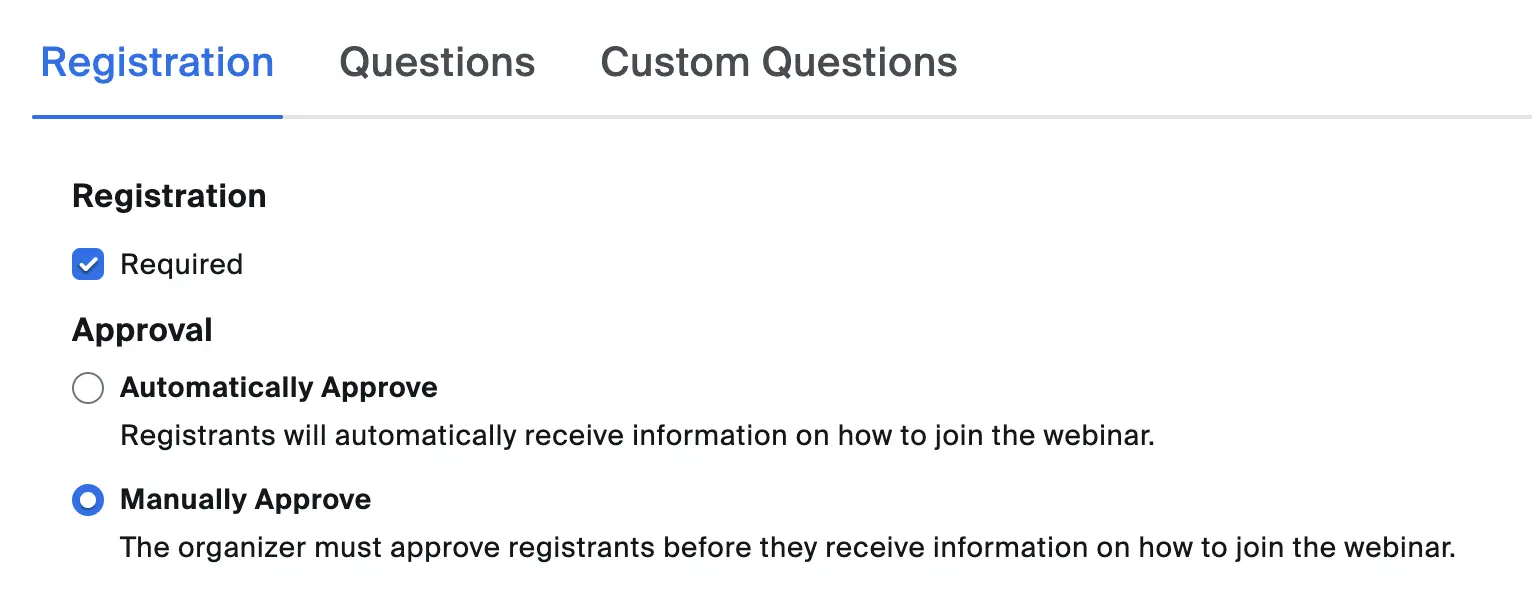
With the default settings, Zoom will automatically approve all registrations. To change this, update the registration settings of your meetings and webinars. Change the registration approval to manual approval. This will ensure that all registrations are sent to this service for approval.
If you need help, please contact us at info@master-software.de